
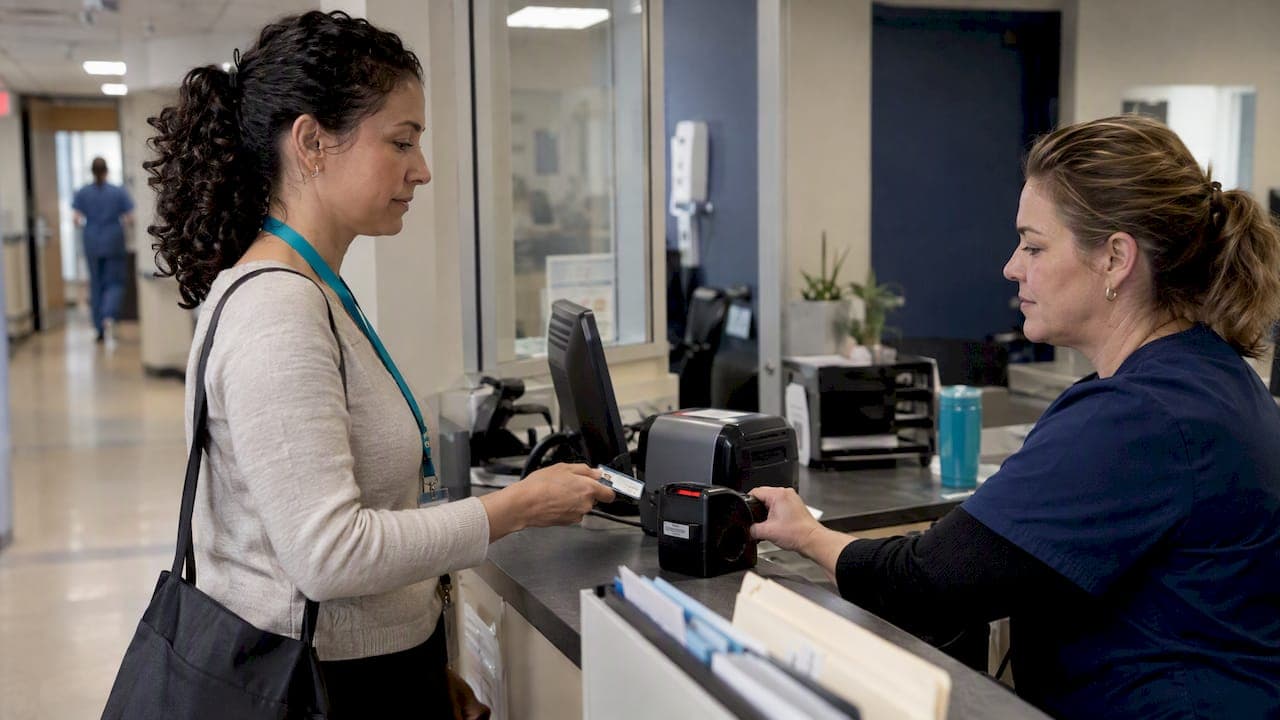
Hospital vendor onboarding is two processes, not one. The first is credentialing, which clears your people to enter the building. The second is IT and security review, which clears your software to touch the network and patient data. Most healthcare SaaS startups prepare for the first and get stuck on the second.
I have sat on the hospital side of this table as a physician and on the vendor side as an advisor. The pattern is consistent: founders sign a contract, assume the hard part is over, and then lose weeks or months in a queue they did not know existed. This guide explains both tracks, what each requires, where startups stall, and how to get ready before the contract is signed.
TL;DR
- Hospital vendor onboarding has two parallel tracks: representative credentialing (badge, background check, immunizations, training) and IT/security review (questionnaires, risk assessment, data access).
- Credentialing can be quick when documents are complete. MultiCare's vendor FAQ describes IT access taking 2 to 3 weeks after credentialing is done.
- A Business Associate Agreement (BAA) is the legal starting point under HIPAA, not proof that you are safe to connect.
- Name one person to own credentials, expirations and security documents. Lapsed credentials mean lost access.
- Build your security evidence pack before the first pilot conversation, not after the contract.
Table of Contents
- Why hospital vendor onboarding is really two tracks
- Track one: representative credentialing
- Track two: IT, security and procurement review
- Side by side: the two tracks
- Where startups stall, and how to avoid it
- A preparation checklist you can start this week
- Our perspective on hospital vendor onboarding
- When outside medical leadership helps
- FAQ
- Sources
Why hospital vendor onboarding is really two tracks
A hospital does not have one front door for vendors. It has at least two, run by different teams with different tools and different timelines.
Track one: physical clearance. Anyone who is not a hospital employee and who represents an outside company is typically screened before entering. UC San Diego Health explains that, depending on the services and the level of access to its premises, onboarding may include a background screen and health screen, among other requirements. Many systems outsource this to credentialing platforms that sort representatives into access levels.
Track two: digital clearance. If your product touches clinical workflows, a network or electronic protected health information (ePHI), the hospital's IT and security group reviews you. This team is often disconnected from the department that issues badges. A green badge status tells the security team nothing.
That is the core misconception I see in early-stage vendors. Badging is permission to walk in. Getting your software integrated into a clinical workflow is the slower, more consequential gate.

Track one: representative credentialing
What hospitals typically ask for
Requirements vary by facility, even inside one health system, but the building blocks repeat. Based on the published policies of MyMichigan Health and MultiCare, expect some combination of:
- Proof of liability insurance, often at $1 million or more in coverage
- Criminal background checks
- HIPAA and facility policy training
- Immunization records, such as hepatitis B, MMR and varicella, plus TB screening where required
- A company-level registration, separate from each representative's individual file
Nothing here is exotic. The failures come from expired paperwork, not hard requirements.
Access levels change the workload
Credentialing programs sort representatives by how close they get to patients. MyMichigan's program, for example, distinguishes non-clinical contractors from clinical, invasive-support roles. The clinical tier carries the heaviest requirements, including drug testing, bloodborne pathogen training and operating room protocol training. Non-clinical contractors mainly face background checks and proof of insurance.
Some systems also offer a lighter package for people with limited patient exposure, such as remote IT support staff. MyMichigan lists a fee of $29 per year for that kind of package. Fees and tiers differ everywhere, so confirm with each hospital.
For most SaaS companies, your people sit in the non-clinical tiers. But if your implementation team will shadow clinicians on the floor, or sit in procedural areas, ask early which tier applies. The wrong assumption can add training and testing you did not budget for.
The red, yellow, green system
Most credentialing platforms use a traffic-light status. Green means cleared. Yellow usually means something is expiring or incomplete. Red blocks access. According to MyMichigan's process, common triggers are a missing vaccination or lapsed general liability insurance.
Opting out of a requirement, such as an immunization, generally runs through a formal waiver process with documentation reviewed by the onboarding coordinator. Do not plan on a verbal exception from your clinical champion. They usually cannot grant one.
How long does it take?
MultiCare's guidance suggests physical credentialing can often clear in under one business day when documentation is complete. That is the best case. Treat it as a reward for preparation, not a planning assumption. If one rep is missing a vaccination record, your timeline resets to however long it takes to get that record.
Track two: IT, security and procurement review
What the security team actually evaluates
For SaaS vendors, digital onboarding generally involves a security questionnaire and sometimes a third-party assessment. Hospitals use these to check how you protect ePHI under the HIPAA Security Rule, which requires regulated entities to ensure the confidentiality, integrity and availability of all ePHI they create, receive, maintain or transmit.
In practice, reviewers want to see:
- A written risk analysis and your risk management process
- Access controls, encryption and audit logging
- An incident response plan, and who you notify and when
- Your list of subcontractors that touch ePHI
- Evidence of employee security training
- Your hosting arrangement and where data lives
MultiCare's FAQ describes IT access taking about 2 to 3 weeks to process after a vendor is already credentialed. That is a single review cycle. It does not include rounds of follow-up questions, remediation items or a hospital security team that is backlogged.
The BAA is the ticket, not the destination
Under HIPAA, a vendor that creates, receives, maintains or transmits ePHI for a hospital is a business associate, and the hospital must have a BAA in place. HHS guidance on business associates explains what the agreement must cover, including permitted uses of PHI and compliance with the Security Rule. It also explains that subcontractors who handle ePHI must sign BAAs with the business associate above them, so the chain of compliance extends down.
Here is where founders go wrong. They treat the BAA as a document that, once signed, settles security. It does not. HHS itself notes in an FAQ on cloud service providers that the Rules require satisfactory assurances through a BAA, and do not themselves require a vendor to hand over documentation or permit audits. But hospitals are free to ask for more as part of their own risk management, and most do. A vendor that refuses or stalls rarely wins that argument.
The practical read: expect the hospital's security team to run its own assessment even if you hold a certification such as SOC 2. Your certification shortens the conversation. It seldom replaces it.
If you want a primer on BAA timing, our piece on why data rooms need a signed BAA before any ePHI upload covers the same discipline from the investor diligence side.

Security evidence beyond the contract
Security reviewers respond to evidence of operating discipline: policies that are actually followed, logs that exist, tested incident plans. Compliance frameworks from other domains can sharpen how you think about this. For example, a plain-language overview of PCI compliance basics for U.S. business owners shows how a control-based standard works. It governs payment cards, not ePHI, so it does not substitute for HIPAA work, but the habit of documenting controls is the same one hospital reviewers reward.
For a fuller walkthrough of what reviewers look for, see our health IT vendor assessment readiness checklist.
Side by side: the two tracks
| Credentialing (physical) | IT/security review (digital) | |
|---|---|---|
| What it clears | Your representatives to enter facilities | Your software to connect, access data or run in workflow |
| Typical owner | Vendor credentialing office or a third-party platform | Information security, IT, privacy and compliance |
| Core documents | Insurance, immunizations, background check, training | Security questionnaire, risk analysis, BAA, policies |
| Best-case speed | Under one business day with complete files (per MultiCare) | About 2 to 3 weeks after credentialing (per MultiCare) |
| Common stall | Expired insurance or missing vaccine record | Incomplete answers on risk management or incident response |
| Who feels the pain | Individual reps | Your whole go-live plan |
Where startups stall, and how to avoid it
Mistake 1: Treating the badge as approval
A rep with a green badge still cannot install an integration. Plan the security review as its own workstream with its own owner and its own timeline, starting at the first serious pilot conversation.
Mistake 2: No single owner for credentials
Individual reps rarely track their own expirations. Immunizations lapse. Insurance certificates renew without anyone uploading the new copy. The account goes red and the visit is canceled. Appoint an onboarding champion inside your company who keeps a central register of every rep, every hospital, every credential and every expiration date, and who owns uploads.
This is not glamorous work. It protects revenue.
Mistake 3: Answering security questions from scratch each time
Every hospital sends a different questionnaire, but the underlying answers are the same. Build a master answer library once, reviewed by someone who understands both the technology and the clinical context. Reuse it, and update it when the architecture changes.
Mistake 4: Ignoring the clinical side of the review
Security is only one lens. Hospitals also ask whether your product is safe in workflow, how it handles clinical content and who on your side is accountable for clinical decisions. A vendor with no clinical leader to answer those questions invites delay. This is one reason many health SaaS companies bring in a fractional Chief Medical Officer before their first health system deal.
Mistake 5: Starting at the wrong time of year
Onboarding does not happen in a vacuum. Budget cycles, security review queues and go-live freezes shape when work can begin. Our guide to the health system IT budget cycle explains how to time your approach.
A preparation checklist you can start this week
- Make a credential register. List each rep, each facility, each requirement and each expiration date. Assign an owner.
- Collect the standard pack. Certificate of insurance, immunization records, background check confirmation, HIPAA training certificates. Keep digital copies current.
- Write your security story. One page on architecture, data flows, hosting, encryption and access control. Reviewers read this first.
- Document risk management. Your risk analysis, how often you update it and who signs off.
- Draft and test your incident response plan. Know who is called, in what order, and how a hospital customer is notified.
- Map subcontractors. Know which ones touch ePHI and confirm BAAs are in place down the chain.
- Build your answer library. Pre-fill the common questionnaire items.
- Ask each hospital early. Request their vendor onboarding packet before contracting, and ask which credentialing platform they use.
If you are earlier in the process, our 30/90/180 day hospital contracting playbook and HIPAA plan for SaaS founders sequence this work across the first six months.
Our perspective on hospital vendor onboarding
We see onboarding as the first real test of a healthcare SaaS company's maturity. A hospital cannot judge your product in the abstract. It judges how you behave when asked for documents, answers and accountability.
The companies that move fastest are not the ones with the most polished decks. They are the ones whose paperwork is boring: current, consistent and ready. Credentialing and security review exist to protect patients. When you treat them that way, rather than as a hurdle between you and revenue, the conversation changes. Reviewers can tell the difference.
We also see a gap that is easy to miss. Most startups have someone who can answer the security questions and someone who can sell. Far fewer have someone who can speak to hospital leadership about clinical safety, workflow fit and physician adoption in the same meeting. That is the gap a fractional Chief Medical Officer is built to close. A physician leader who has worked inside health systems knows which questions are coming and who in the building asks them.
My advice is simple. Treat onboarding as a product requirement. Assign an owner, build the evidence, and rehearse the conversation before you are in it.
— Paul Bergeron MD, MBA
When outside medical leadership helps
The StartUp MD is a healthcare advisory firm that provides Fractional Chief Medical Officer and advisory services to healthcare SaaS and digital health companies. If your next hospital deal is stalling at the security review, or you are unsure how to present clinical safety and workflow readiness to a health system, we can help you prepare. See our Fractional CMO and advisory services or read how we approach a healthcare SaaS go-to-market strategy.
FAQ
How long does hospital vendor onboarding take?
It depends on the facility and on how complete your files are. MultiCare's guidance describes physical credentialing clearing in under one business day when documentation is complete, and IT access taking about 2 to 3 weeks afterward. Many deals take longer once follow-up security questions and contracting are included, so confirm timelines with each hospital.
Do I need a BAA to onboard with a hospital?
If your product creates, receives, maintains or transmits ePHI on the hospital's behalf, yes. HHS guidance requires a BAA with the covered entity, and your subcontractors that handle ePHI need BAAs with you. The BAA does not replace the hospital's own security review.
What is the difference between vendor credentialing and IT onboarding?
Credentialing clears your people to enter facilities, using background checks, immunization records, insurance and training. IT onboarding clears your software and its data access through security questionnaires and risk review. They are usually run by different departments and tracked separately.
Why does my representative show a red status?
Usually because something is missing or expired, such as an immunization record or a general liability insurance certificate. Check the credentialing platform for the specific item, upload the corrected document and ask the onboarding coordinator to re-review. Waivers for requirements like immunizations follow a formal documented process.
Does SOC 2 let me skip the hospital's security review?
No. A certification helps, but hospitals generally run their own risk assessment. Use your report to answer questions faster, and be ready for follow-ups about incident response and risk management.
Sources
- MultiCare Vendor On-boarding FAQs
- MyMichigan Health: Vendor Credentialing Process
- UC San Diego Health: FAQs for Vendors and Suppliers
- HHS: Business Associates
- HHS: Summary of the HIPAA Security Rule
- HHS FAQ: CSPs as business associates and customer auditing